en
en

Why might you need to block someone on TikTok?
TikTok is a creative platform that fosters creativity, self-expression, and communication. However, as with any social network, you may sometimes encounter unpleasant people here. If someone tries to bother you, the best way to deal with it is to block them.
The most common situations in which someone should be blocked are listed here:
- Insults and threats. If you encounter malicious comments, insults, provocateurs, or even threats on your videos, know that you don’t have to tolerate it. TikTok is not a place for arguments or public insults. Blocking immediately stops any contact with that person, and they will no longer be able to interact with you.
- Spam, bots, and suspicious accounts. You may encounter accounts that leave identical promotional comments, promote questionable links, or impersonate someone else. These are bots or scammers. To ensure the safety and cleanliness of your profile, such accounts should be blocked immediately.
- Fraud and Fake Pages. Some users may try to deceive you by creating fake profiles, pretending to be famous people, or promising prizes that don’t exist. If you see something suspicious, don’t take any chances. Blocking is a reliable way to eliminate a potential threat.
- Intrusive Behavior and Toxic Commenters. Sometimes, comments may be made excessively on each of your videos, criticism may be offered, an argument may be made, or unpleasant behavior may be displayed. This can cause stress and ruin your mood. If you feel uncomfortable, simply block them. On TikTok, there is no obligation to interact with individuals you find unpleasant.
- Violation of personal boundaries. Sometimes other users make duets or stitch videos with your content and do so without respect, distortion of meaning, mockery, or negative use of your video. If you don’t like it, you have every right to restrict their access by blocking them.
Many people worry that blocking someone is too harsh or rude. In reality, it’s just a way of saying, “I want to feel comfortable online.” You have the right to choose who you interact with. TikTok should be a place where you feel comfortable. Blocking is one way to keep this space safe, friendly, and peaceful.
How to block a user on TikTok via the mobile app
If you use TikTok on your phone, here’s a quick and easy way to block any user.
Follow these simple steps:
- Open TikTok and find the profile of the person you want to block.
- Tap the three dots in the upper right corner of the screen.
- In the menu that appears, select “Block.”
- Confirm your decision.
- After that, the person will not be able to send you messages, comment on your videos, or even see your profile.
How to block a user on TikTok from a computer
Accessing TikTok through a browser will result in a similar process.
Such as:
- Go to tiktok.com and log in to your account.
- Find the user you want to block.
- Click on the three dots icon on their page.
- Select “Block” and confirm.
- This will block the unwanted user, and this action will take effect on all your devices.
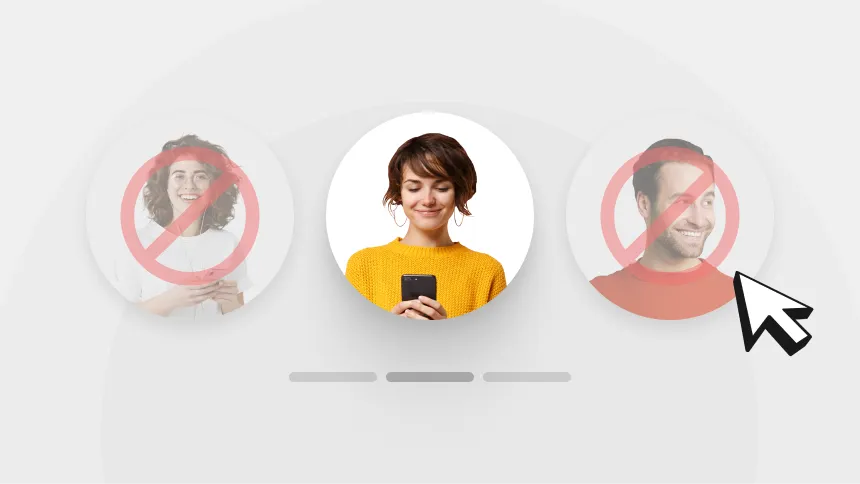
The blocking of multiple users on TikTok: How it works?.
If you see a flood of spam, ads, or suspicious comments under a video, you can block several accounts at once:
- Go to the comments section under the video.
- Select one of the comments you don’t want to see and press and hold it.
- Then, tap “Manage multiple comments.”
- This method is especially useful when defending against bots and mass fakes.
What happens when you block someone in TikTok?
When you block someone on TikTok, that person can no longer see your videos or send you messages. The platform does not notify the user about the block; they simply stop seeing your profile.
So When you block a user:
- He or she can no longer access your profile, view videos or stories
- Can’t like, comment, post or send messages
- You disappear from his recommendations and subscription list
- He doesn’t get blocking notifications, but he can guess if he tries to find you himself
By the way, TikTok does not notify about blocking, and you can find out about it only by indirect signs, for example, if a person can no longer find your profile.
There is another scenario
If you change your mind, and you want to give someone back access to your profile. Please follow these steps to unblock a user on TikTok.
To unblock a user on TikTok:
- Go to your profile.
- Open the menu (three lines in the upper right corner).
- Choose Settings and Privacy → Privacy.
- Go to the “Blocked Accounts” section.
- Find the user you want and click “Unblock”.
This person will now be able to see your content and interact with you again. You can remove the blocking at any time – there are no restrictions here.
Why use a VPN when working with TikTok
Sometimes, TikTok may be partially or completely inaccessible due to regional restrictions. Also, the platform may restrict content depending on the country. In these cases, a VPN can help.
Why VPNLY:
- Access TikTok from anywhere in the world, even if the platform is blocked
- Bypass censorship and geolocation restrictions
- Encrypting your traffic and protecting your personal data
- Hiding your IP address for increased privacy
- Free connection without registration
TikTok works well with VPNs, and if you want to be sure that the platform is stable and secure, VPNLY is a convenient and reliable choice.
Conclusion
Blocking on TikTok is not a hard step, but a common way to protect yourself online. You have the right to decide who can see your content and communicate with you.
And to make sure TikTok is always available, safe and stable – use Planet VPN. It’s convenient, free and protects your privacy.
Your comfort on the Internet is in your hands!