en
en
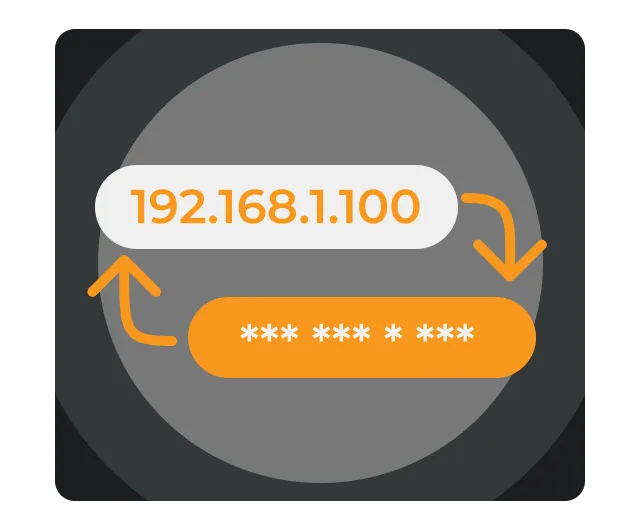

What Is an IP Address?
Before discussing how to change it, let’s clarify a few fundamental concepts. An IP address (aka Internet Protocol address) is a unique number assigned to your device upon connecting to the internet. Your IP address functions as an identifier to send and receive information. There are two primary versions of the IP protocol.
- IPv4 – The older version (e.g. 192.168.0.1) still used today.
- IPv6 – The newer version created to deal with the IPv4 shortage of addresses. Each time you are online it can reveal information about:
Your approximate geographic location
- Your ISP (Internet Service Provider)
- Your browsing trends and activities.
This is one reason why it is a target for advertisers, trackers, and even hackers.
Why Would You Want to Change Your IP Address?
Changing your IP address isn’t just “hiding” online — it solves real problems and allows new opportunities.
- Privacy protection – Hide your location and browsing habits from trackers
- Avoid targeted advertisements – Stop advertisers from building up detailed profiling.
- Watch restricted shows and access certain websites or apps – Visit content that might be geo-restricted to different countries.
- Resolve connectivity problems – Sometimes, a different IP address resolves issues or conflicts with networks.
- Prevent tracking and profiling – Another IP address makes it harder for websites and other authorities to link your online activity.
Different Ways to Change Your IP Address
There are several methods to change your IP, ranging from simple to advanced. Let’s explore them all.
1. Restarting Your Modem/Router
The simplest way is to reboot your internet connection. Many ISPs assign dynamic IP addresses, which change when you reconnect.
| Step 1. | Turn off your modem/router. |
| Step 2. | Wait a few minutes (sometimes a few hours). |
| Step 3. | Turn it back on and check if your IP has changed. |
Pros: Easy and quick.
Cons: Not guaranteed; sometimes you get the same IP again.
2. Manually Setting a New IP Address
You can manually assign a new IP to your device.
- On Windows: Go to Network Settings > Adapter Properties > TCP/IPv4 and enter a new IP.
- On Mac: Open System Preferences > Network > Advanced > TCP/IP and configure manually.
- On iPhone/Android: Go to Wi-Fi settings, choose your network, and select “Configure IP” manually.
Pros: Works if you know what IP range to use.
Cons: Can cause conflicts if set incorrectly.
3. Using a Mobile Network
Switching from Wi-Fi to mobile data gives you a new IP assigned by your cellular provider.
Pros: Fast and simple.
Cons: Limited by data plans and slower than Wi-Fi.
4. Using a Proxy Server
A proxy acts as a middleman, routing your connection through another server.
Pros: Easy to set up in browsers.
Cons: Proxies often lack encryption and can leak data.
5. Using Tor Browser
Tor routes your traffic through multiple servers worldwide, hiding your IP.
Pros: Strong anonymity.
Cons: Very slow; not suitable for streaming or gaming.
6. Using a VPN (The Best Method)
A VPN (Virtual Private Network) changes your IP by routing your traffic through secure servers in another location. With VPNLY, you can pick from servers worldwide, instantly masking your real IP.
Pros: Fast and reliabl, encrypts traffic for full privacy, works on all devices, bypasses censorship and geo-blocks.
Cons: Requires installing a VPN app (but takes less than a minute).
Step-by-Step: Changing Your IP Address with VPNLY
| Step 1. | Download and install VPNLY on your device. |
| Step 2. | Create an account and log in. |
| Step 3. | Open the app and choose a server location (e.g., US, UK, Japan). |
| Step 4. | Tap “Connect.” |
| Step 5. | Your IP address instantly changes to match the server. |
You can now browse safely, stream geo-restricted content, and protect your privacy — all in one step.
Why VPNLY Is the Best Choice
Not all VPNs are equal. Some free VPNs log data, sell user info, or provide slow speeds. VPNLY stands out with:
- Strict no-logs policy – Your activity is never stored.
- High-speed global servers – Perfect for streaming and gaming.
- DNS and IP leak protection – Ensures your real identity never leaks.
- Multi-device support – Use it on phones, tablets, PCs, and routers.
With VPNLY, you don’t just change your IP – you secure your entire online presence.
How Changing Your IP Protects You from Common Threats
- Public Wi-Fi risks – Prevents hackers from stealing your data.
- ISP tracking – Stops your provider from logging your browsing history.
- Government surveillance – Keeps your online activity private.
- DDoS attacks in gaming – Protects gamers from IP-based attacks.
Advanced Uses of Changing Your IP Address
- Access international streaming libraries (Netflix, Hulu, BBC iPlayer).
- Shop for better prices online – Some sites show different prices based on region.
- Protect sensitive work data when working remotely.
- Test websites from different locations for SEO and development.
Common Questions About Changing IP Address
1. Is changing your IP address legal?
Yes, changing your IP address is legal in almost all countries. It is also legal to use a VPN service, like VPNLY when doing so, since it is your right to protect your privacy.
2. Can someone still track me if I change my IP address?
If you only restart your router, some tracking can be done on your activity. When you use VPNLY, they can’t track your activity even if you change your IP address.
3. Will changing my IP address speed up my internet?
Not necessarily – it might if you connect to a super charged server or use a free server. With VPNLY you might get better speeds if you connect to their optimized server.
4. Do I need to know technical details?
No, with VPNLY you simply tap a button.
Conclusion
Changing your IP address is one of the best ways to protect your privacy, bypass restrictions, and take control of your online experience. Although there are many options, from restarting your router to utilizing proxies, the safest and most reliable option is a VPN.
VPNLY allows you to change your IP in seconds, shield your browsing activity using encryption, and experience the internet without borders. When it comes to stopping advertisers, accessing content from around the world, or just browsing securely, VPNLY empowers you to do it all.